How-To Find Docks and Assignment Details
- Dec 8, 2025
- 1 min read
Updated: Dec 11, 2025
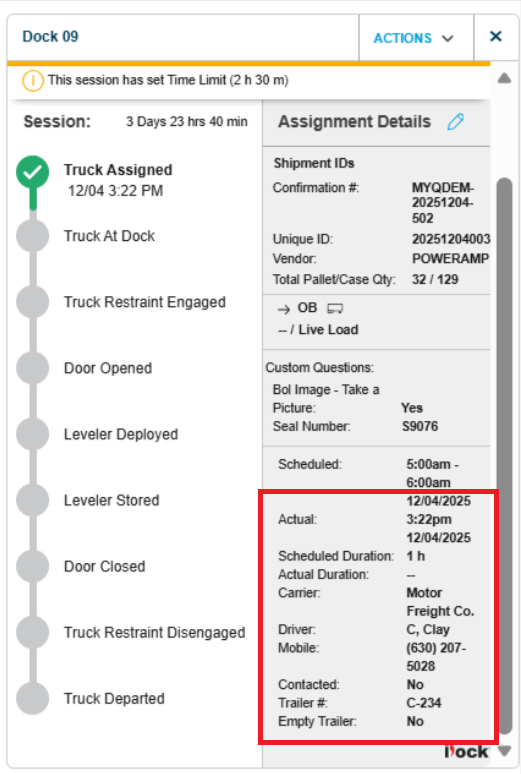
More details can be found about each shipment in the details view. Hover over the dock to open details.
On the Dashboard and the Dock Positions tab, click on your desired dock.

Additional actions may be taken to positions that are open or have assignments. Allowed actions vary by session type and stage. Click on the 'Actions' button.

Session steps are updated as they happen based on the sensors installed at your facility. Dock session configuration is managed by the Administrator and CSM

Assignment details display information about the shipment

Details about the scheduled appointment include Driver Contact information