
Navigating Journals
- Dec 5, 2025
- 1 min read
The Journals page displays user changes and access commands made from the website. Below you can find a walkthrough of how to navigate the Journals tab.
Navigate to Journals by clicking ‘Journals’ located under the Activity page
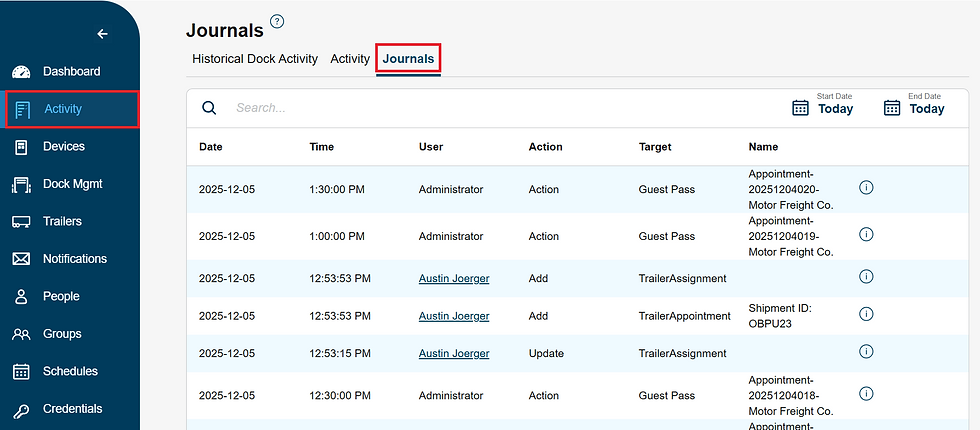
Input Date Range you wish to view

Selecting the icon will provide further details on the user/command action taken

Update number of entries viewed per page and change pages


